

Marketplace
See the full list of manufacturers who uses Configura's platform.







-1.svg)




The leading SaaS platform for space planning
You can be sure of our full commitment - from initial analysis, to implementation and end-user support.
hej
hej

Open for anyone: How you join is up to you
You can be sure of our full commitment - from initial analysis, to implementation and end-user support.
hej
hej

What's in it for me?
You can be sure of our full commitment - from initial analysis, to implementation and end-user support.
hej
hej
The CET 16.5 Minor Release is all about improving the details that matter in daily design work. With better visual clarity, increased precision, and smoother workflows across CET, this update helps you work faster—and with more confidence. Here are some examples.
Accuracy is critical, especially early in the design process. This release introduces several updates that help you stay in control as you work:
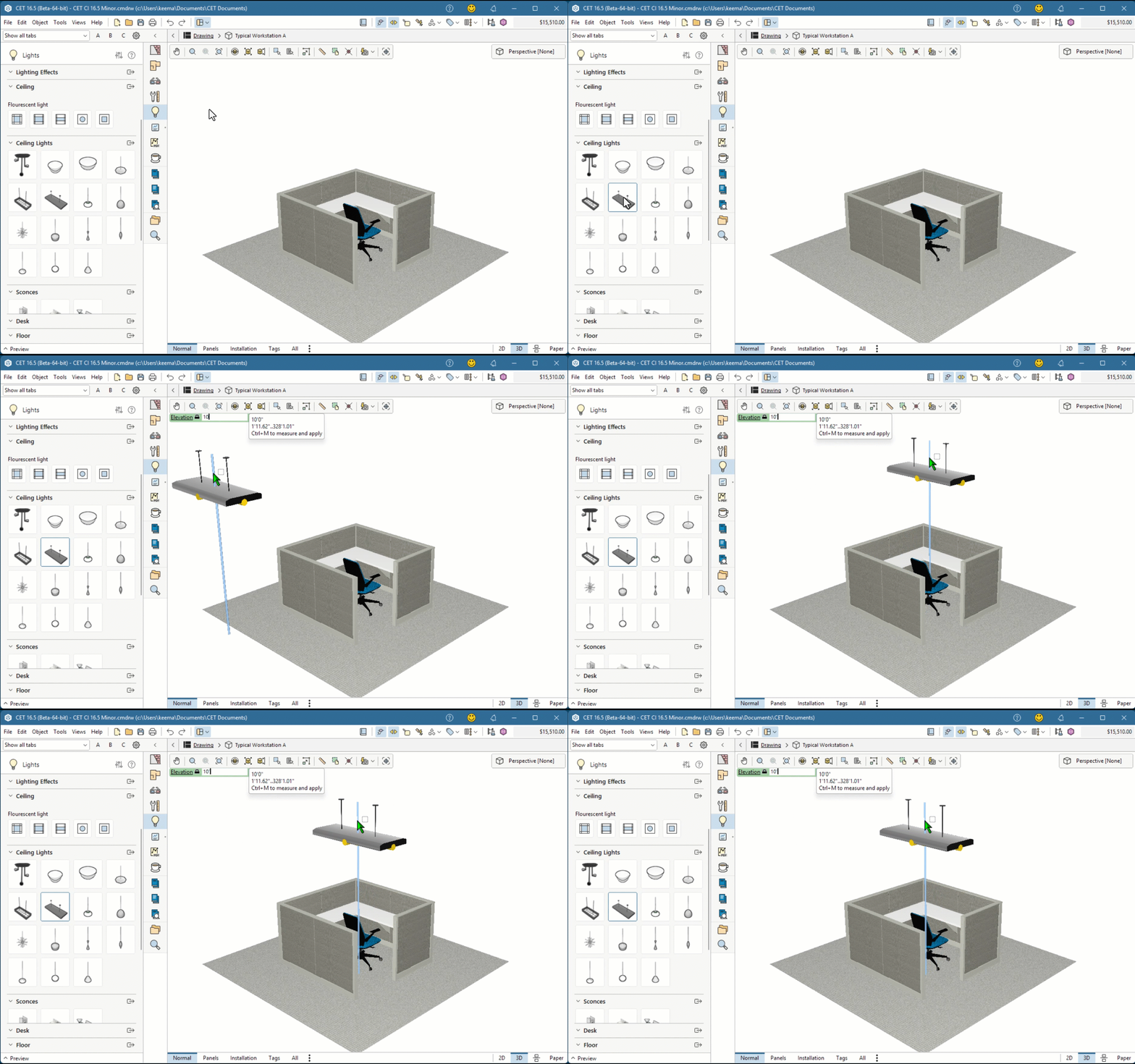
Together, these changes support more predictable outcomes—from early planning to final delivery.
Visual quality gets a noticeable lift in CET 16.5 Minor, helping your drawings look cleaner and easier to read:
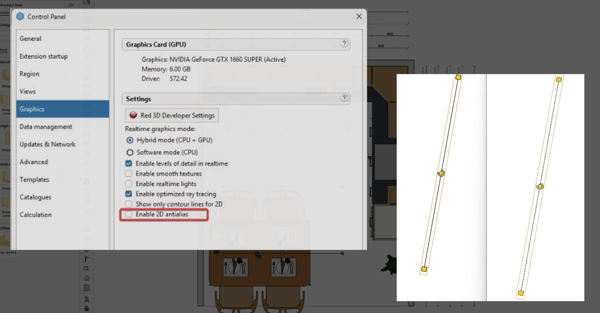
The result: more professional-looking output with less fine-tuning.
Many of the updates in 16.5 Minor focus on saving time in tasks you perform every day:
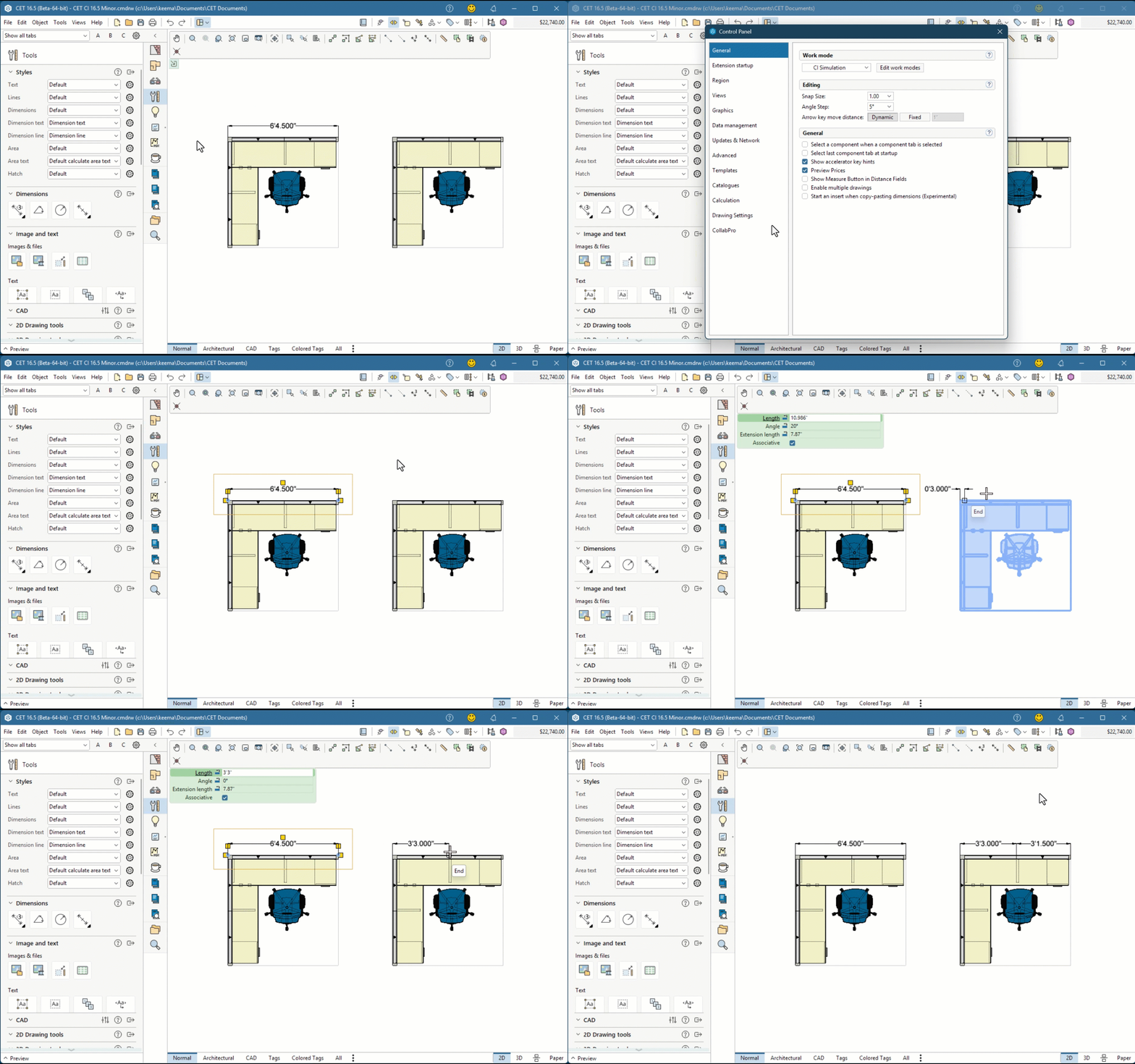
These may seem like small changes—but they add up quickly over the course of a project.
Delivers clearer visuals, more reliable data, and smoother workflows to help Commercial Interiors teams design, price, and present with greater confidence and consistency.
Improves standards-based measurements, calculation logic, and layout automation to increase confidence in system outputs and downstream engineering coordination.
Enhances visual clarity, layout stability, and workflow consistency to help Kitchen & Bath teams produce cleaner, more reliable designs and documentation.
Want to see what’s next? Check out the CET Roadmap to explore what’s on the horizon. And if you’d like to dive deeper into CET 16.5’s new features, Configura Academy offers webinars, tutorials, and training sessions led by our experts — everything you need to keep designing smarter.
Get the complete breakdown of improvements in the CET 16.5 Minor release notes.