Newsroom


Configura releases CET Designer® 2.4 – speed, large project enhancements

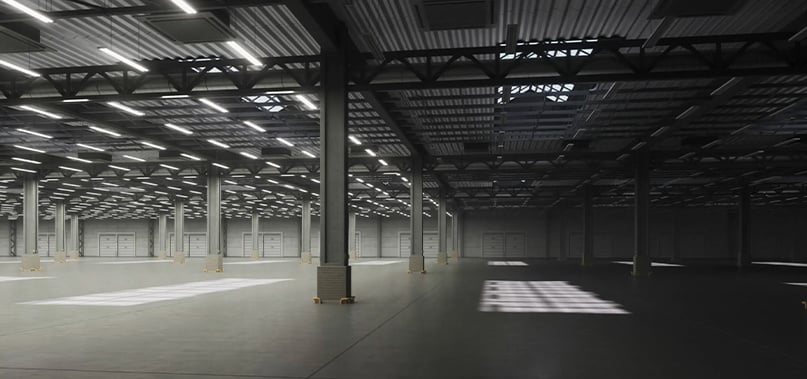
Rendering
Rendering created by Paul Riches using CET Designer® 2.4.
Software is used by Steelcase, Haworth, Teknion, Spacefile and soon Mepal dealers
 
CET 2.4GRAND RAPIDS, MICH., USA—May 17, 2010—Best of NeoCon award-winning CET Designer® Version 2.4 launches today with improvements to the core that enhance speed, performance and project-size capabilities.
 
Configura’s technology team in Linköping, Sweden, spent the last six months enhancing the tool.
 
“Our main focus has been stability to really allow our users to work on very large projects with speed and ease,” Project Manager Steven Jenkins said.
 
CET “power user” Paul Riches who is a senior project planner with Heritage Office Furnishings, a Steelcase dealer in Vancouver, has been beta-testing CET Designer® Version 2.4 along with the Steelcase SmartTools Extension: “Working on it last week, I was flying so fast – seriously, amazingly fast – and there are some nice new features that are more intuitive for those of us using the software – touches that make designing even easier.”
 
Additional notable changes in CET Designer® Version 2.4:
 
  • Advanced engine rendering is now a separate process
  • Images pasted to the drawing area are automatically reduced in size until they are actually needed during rendering
  • Support for AutoCAD 2010 is included
  • Work in the CET Movie Studio Extension is automatically saved at the point where a user last left off
 
A full list of updates is in our Pre-Release Notes.
 
Another CET beta-tester, Maureen Soules, CID, said the enhancements to the CET Movie Studio Extension make for a great visual tool to communicate with clients: “It’s so powerful when you can show clients what their space will look like in a virtual, fly-thru experience – and they can suggest changes that are so easy and cost-effective to make because the software is intuitive. CET really lets clients be partners with us in the process of designing.”
 
Configura works closely with users to make improvements and test the software in order to ensure a solution that truly meets users’ needs. “Working with Configura and using their software is a personal, customized experience,” Riches said. “Configura wants to hear our feedback and their Help Desk is always there too – how many other software providers are truly partners in the process like Configura is? The service and commitment is second to none.”
 
Last spring, a new, robust graphics engine was added. The engine optimizes the power of the graphics card in users’ computers to offer:
 
  • Real-time rendering – amazingly real environments as users design
  • Significant speed enhancements
  • Smooth and easy navigation in both 2D and 3D – just like in today’s video games
Built into CET Designer is the ability to determine if the user’s computer’s current graphics card can meet the system recommendations of the robust graphics engine. “It’s always wise before upgrading hardware or software to give Configura CET Designer’s Support Desk a call – we’re here to help,” Configura Training and Support Manager Tracy Prevost said.
 
In addition, CET Designer® offers users these free Extensions:
 

Revit® Extension

CET Designer’s free Revit® Extension serves as a connection between CET Designer® and its manufacturer Extensions and integrates the software for seamless collaboration among architects, dealers and furniture manufacturers using BIM for planning and design.


Google SketchUp™

CET Designer’s free Google SketchUp™ Extension lets users choose from a huge library of Google objects that can be added to CET drawings for more realistic renderings.
 

CET Movie Studio

CET Designer’s free CET Movie Studio Extension enables users to create, edit and save movies in CET Designer® so they can give their clients a virtual, 3D, fly-thru experience of their space.
 
Manufacturer Extensions with smart, rules-based product symbols include:
 
  • Haworth’s Canvas Extension
  • Spacefile’s SpaceTools Extension
  • Steelcase’s SmartTools Extension
  • Teknion’s Storyboard Extension
  • Mepal’s Extension (launches this summer)
 
“Parametric Graphical Configuration is really the crux of our solution,” CEO Johan Lyreborn said. “Because of PGC, our software is smart – manufacturers’ product rules are built-in – the software won’t let users make mistakes.”
 
Another Extension developed in collaboration with ProjectMatrix – the ProjectSymbols Extension – includes symbols representing more than 80 percent of office furniture industry products, making CET Designer® a complete design, rendering and ordering specification tool. The software produces photo-realistic renderings, accurate bills of materials and complete installation instructions – without relying on AutoCAD, although the software easily integrates with AutoCAD.
 

View the demo video of CET Designer:


Comments

Post new comment

The content of this field is kept private and will not be shown publicly.

Multimedia

Latest image from our Flickr gallery


 Watch our demo videos on YouTube